DueHub ERP · Our in-house tool

The whole company, on a single screen.

With DueHub ERP we track our projects, keep our brand assets, build our pieces, plan our social posts and keep the books. It is not for sale. We show it because this is how we work on the inside.

  • 5 modules
  • 4 brands
  • 3 panels side by side
  • 0 data in the cloud
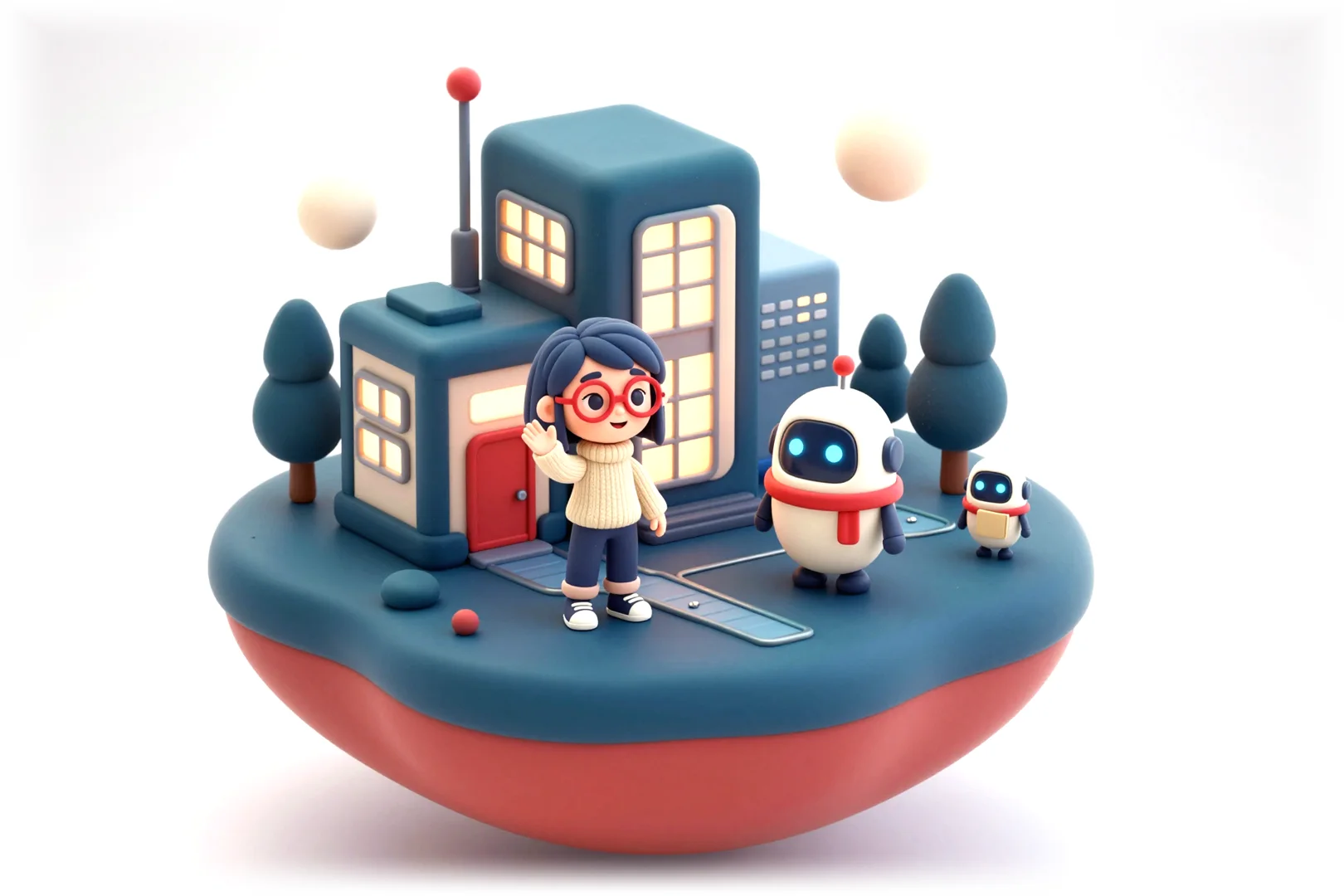
Ema and Erpi, the DueHub ERP characters, in front of their office on a miniature island.
Made in house, used every day
Five modules and one view to see them together
Why we show it

It is not a product. It is the tool we use to build ours. We use it every day, so we made it the way we like to work: with everything in plain sight.

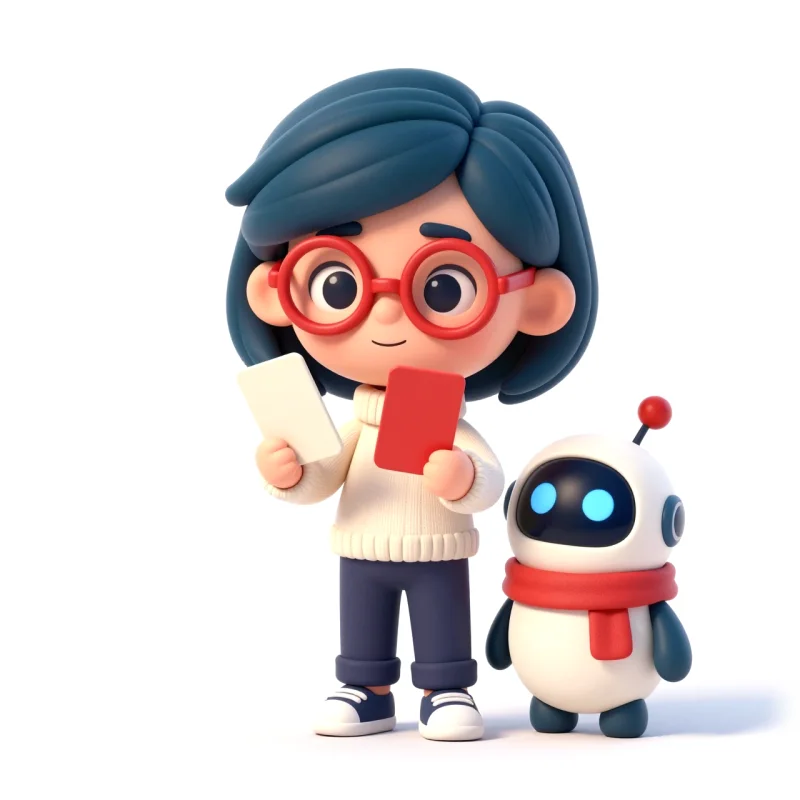
Ema waves next to Erpi, her robot helper.
The tour

One working day, from the first decision to the last account.

Follow Ema and Erpi through the modules of DueHub ERP. Each stop shows the real screen of the tool, with demo data.

09:00A day with DueHub ERP
  1. 01Tracking
  2. 02Library
  3. 03Studio
  4. 04Social
  5. 05Finance
  6. 06CRM
01 · Tracking

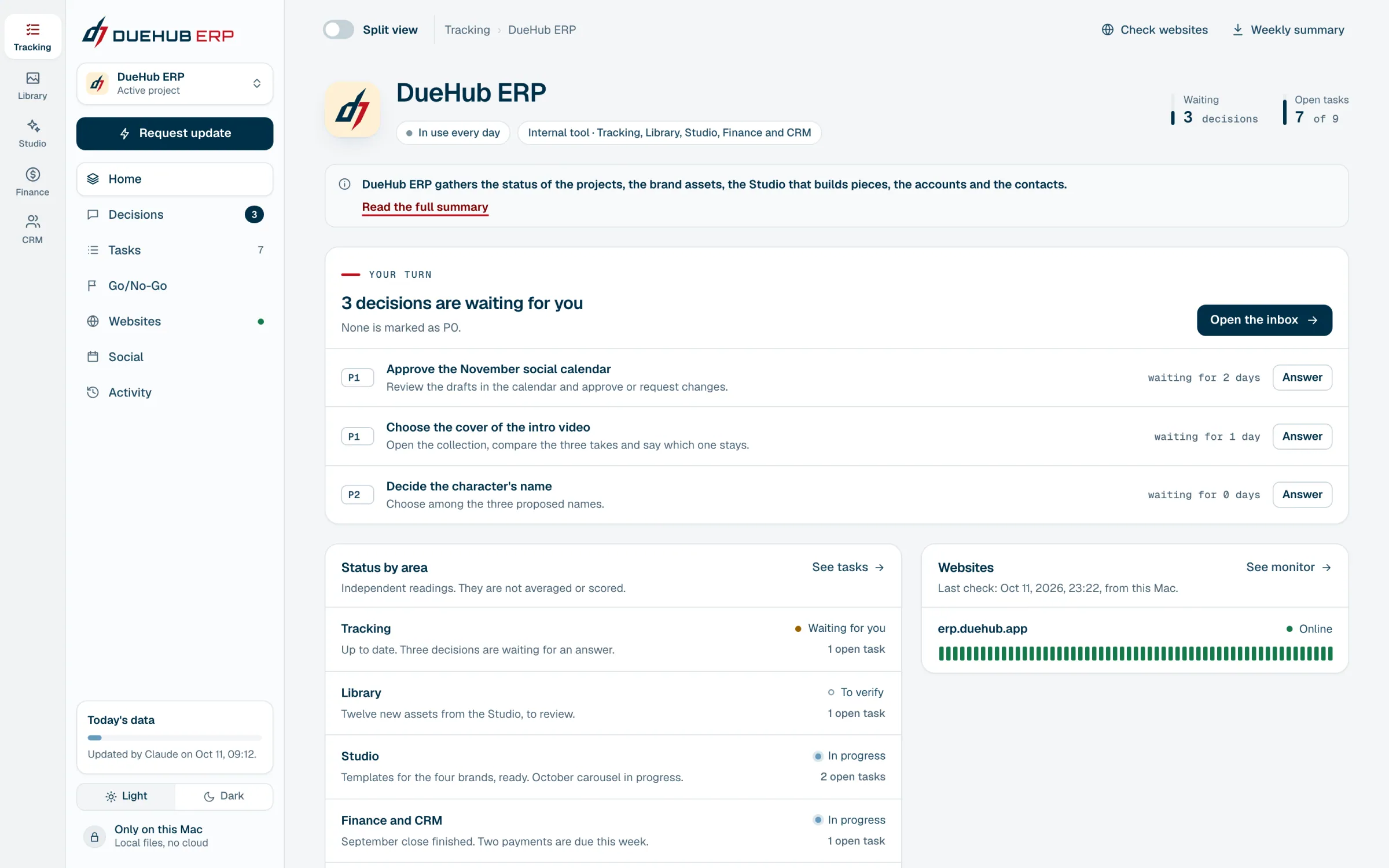
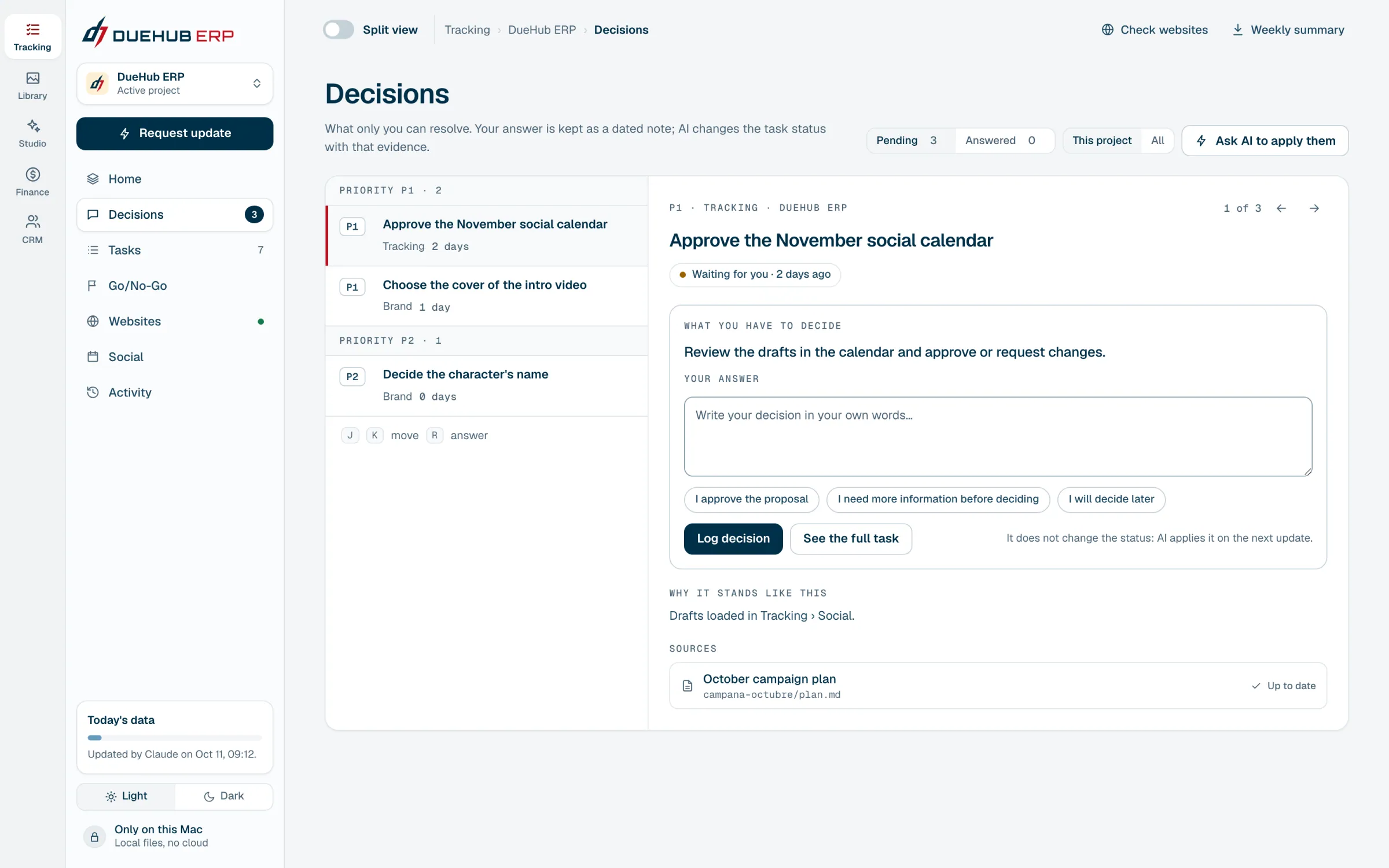
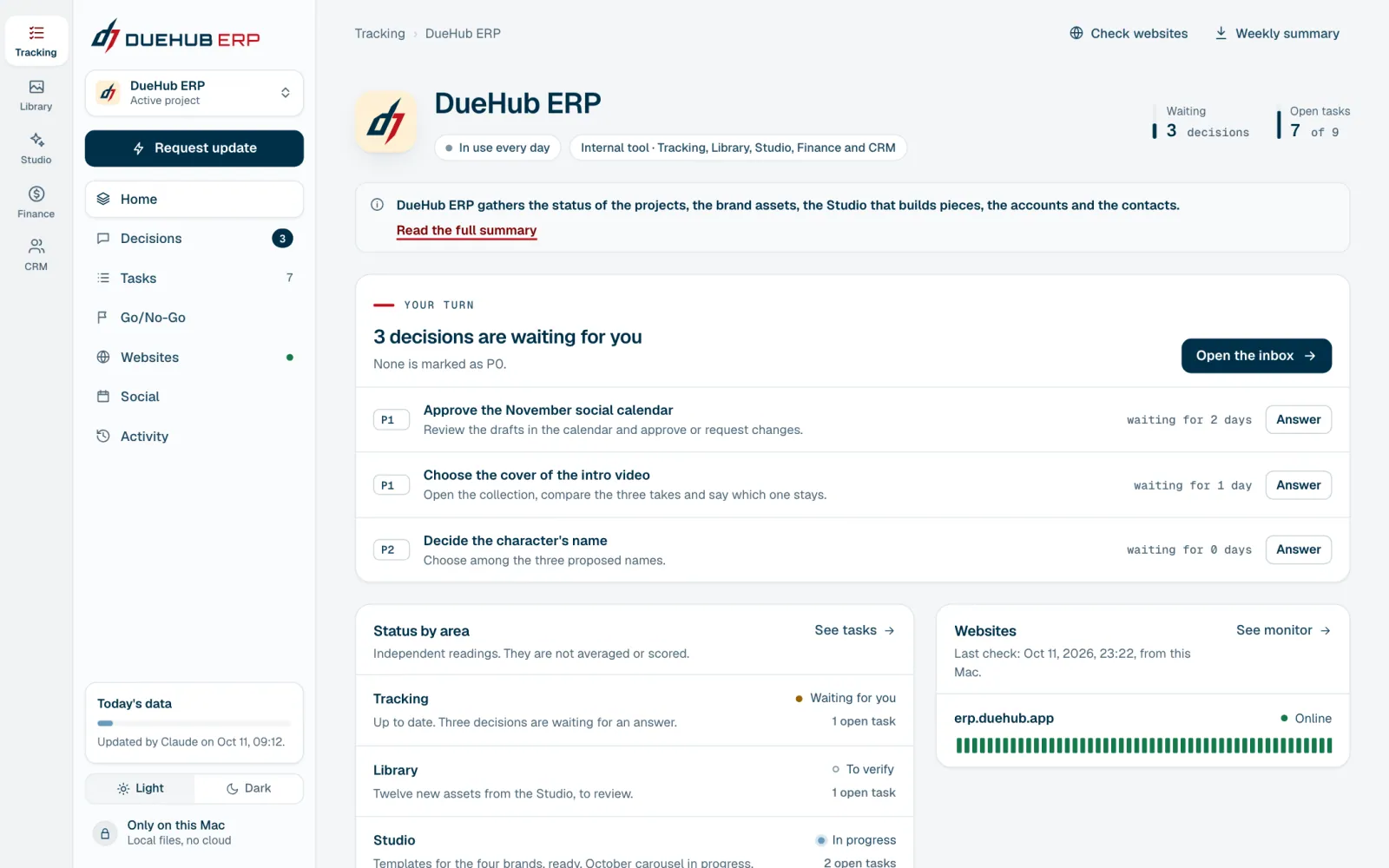
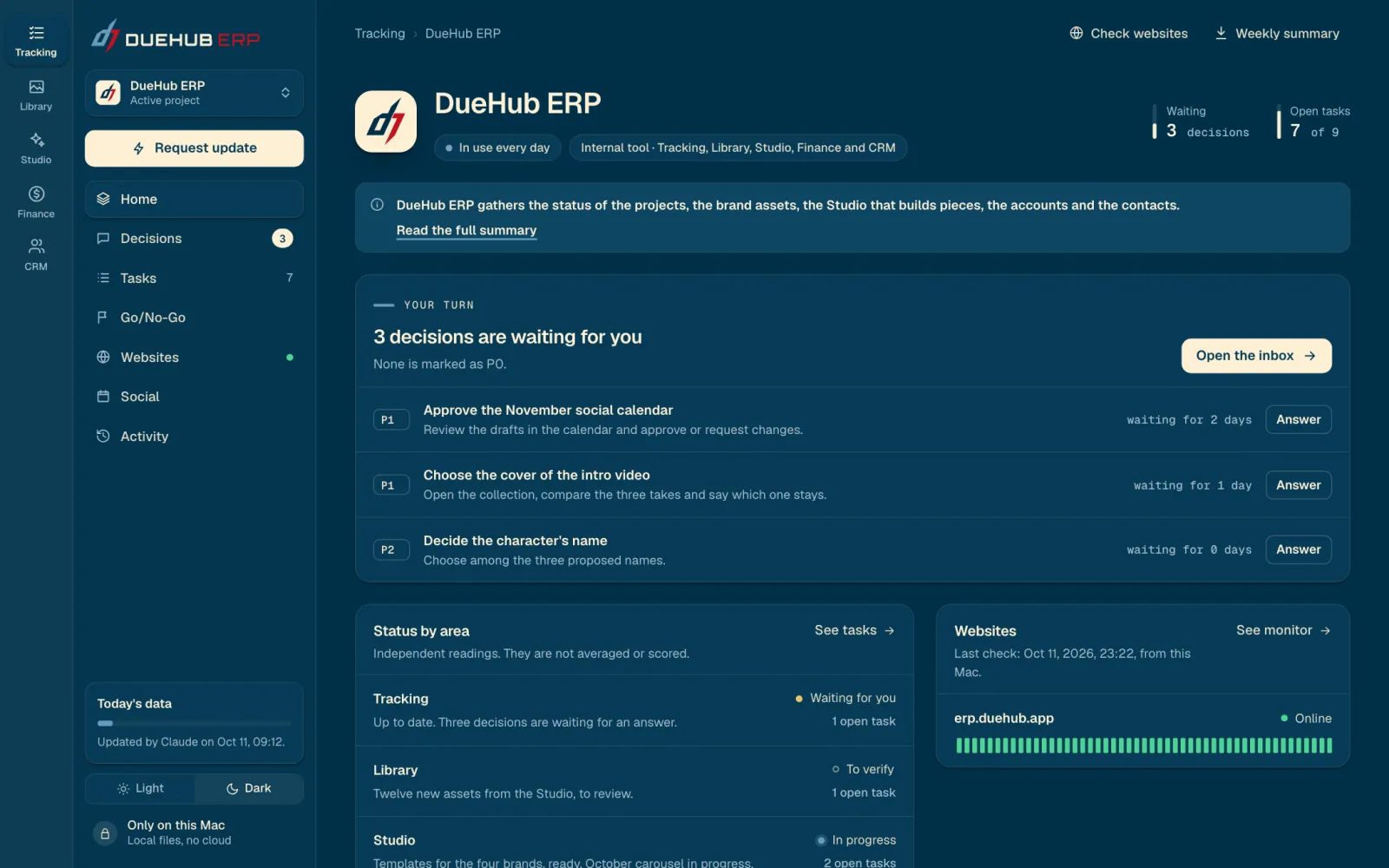
The day starts with one question: what is waiting for my decision?

Tracking gathers the status of every project, its tasks and the pending decisions. AI keeps the data up to date. Deciding is a person's job.

  • Decision inbox
  • Tasks with evidence
  • Website monitor
The first thing you see: how many decisions are waiting, and which ones.You answer in your own words. AI applies the change on the next update.
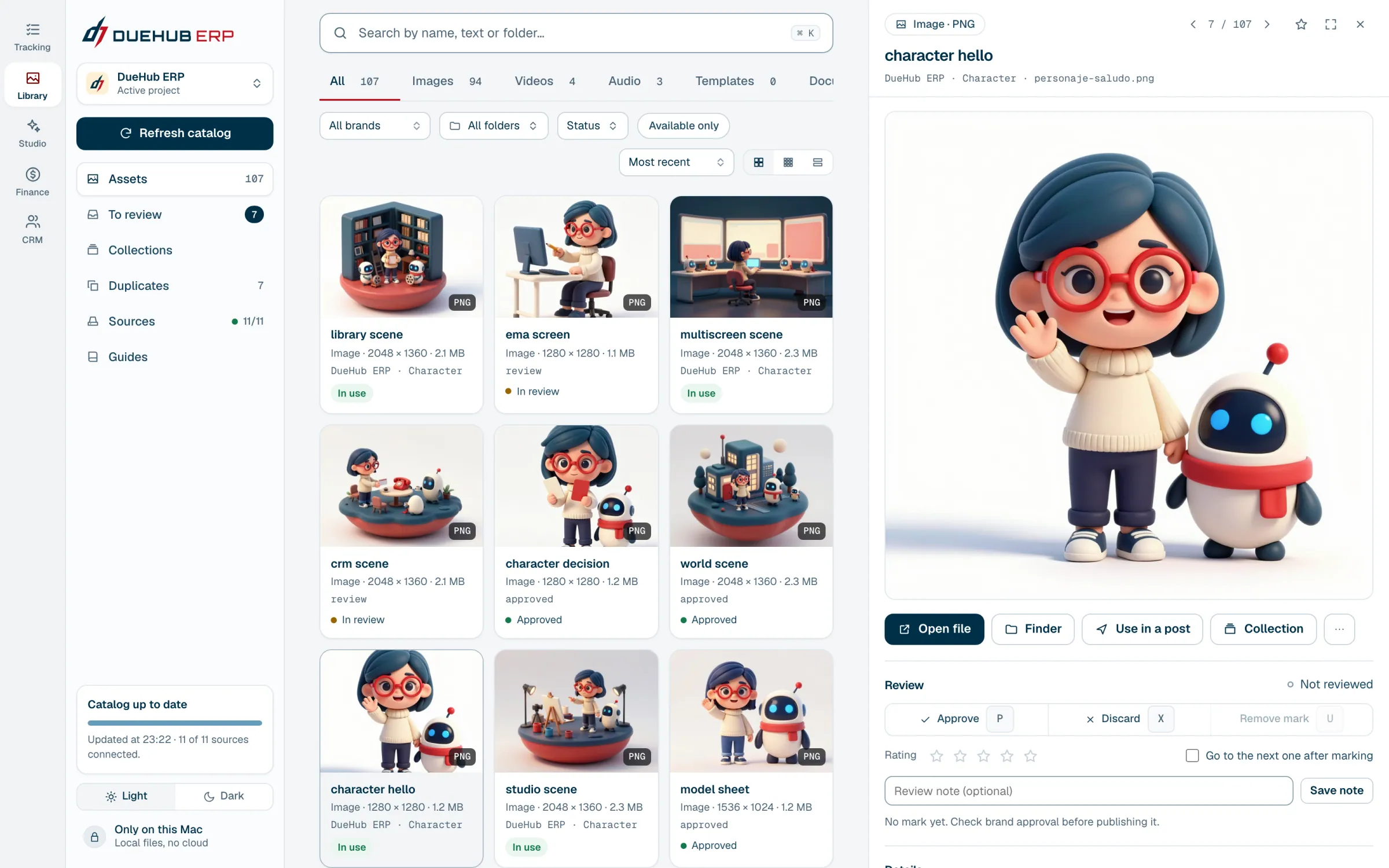
02 · Library

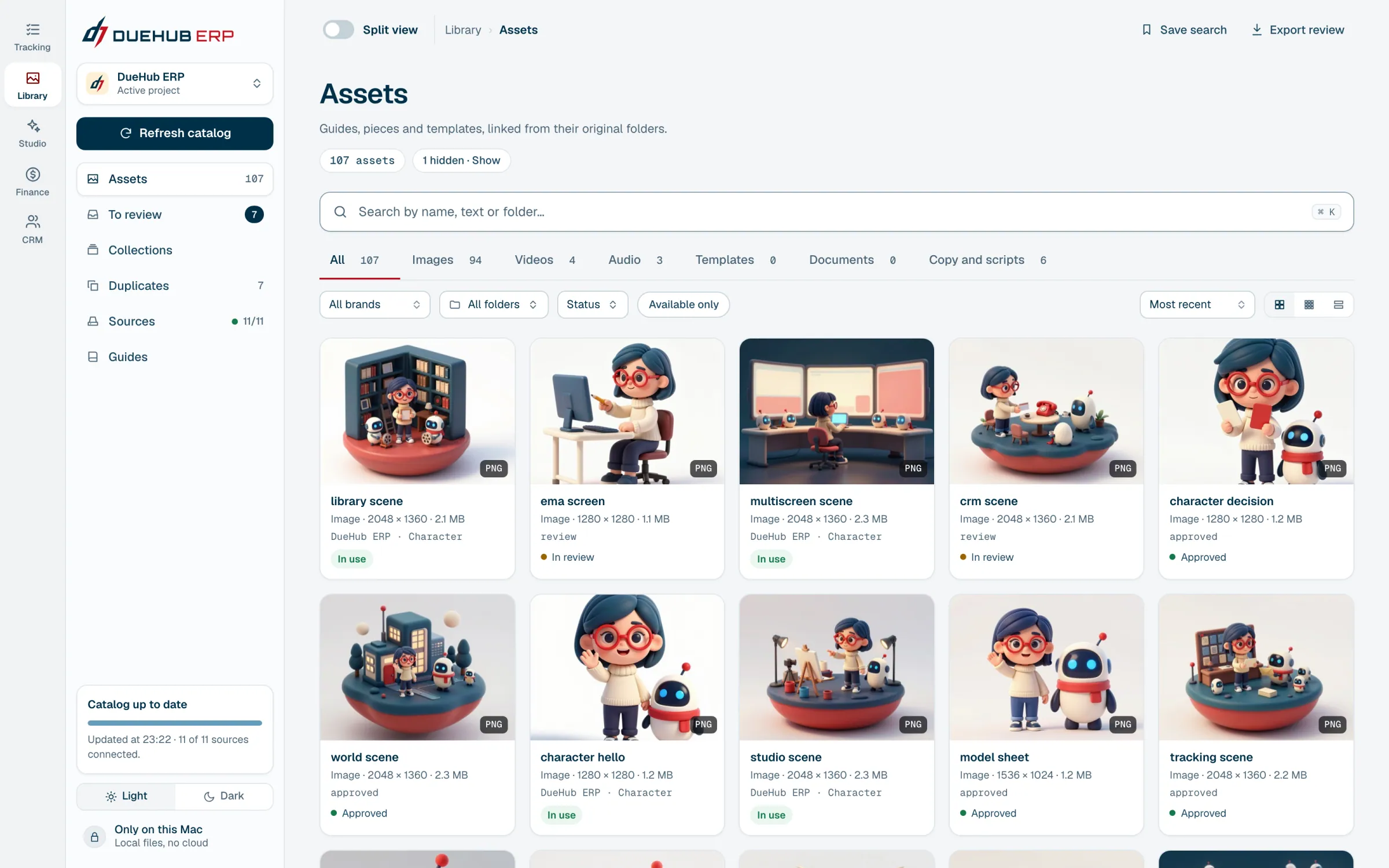
Every brand asset, without moving a single file.

A local catalog of guides, templates, photos, videos and audio. The originals stay in their folders. The Library finds them, sorts them and lets you review them.

  • Full text search
  • Keyboard review
  • Collections
Images, videos, audio and copy from every brand, in one catalog.The detail opens on the side, without covering the catalog: preview, review and data.
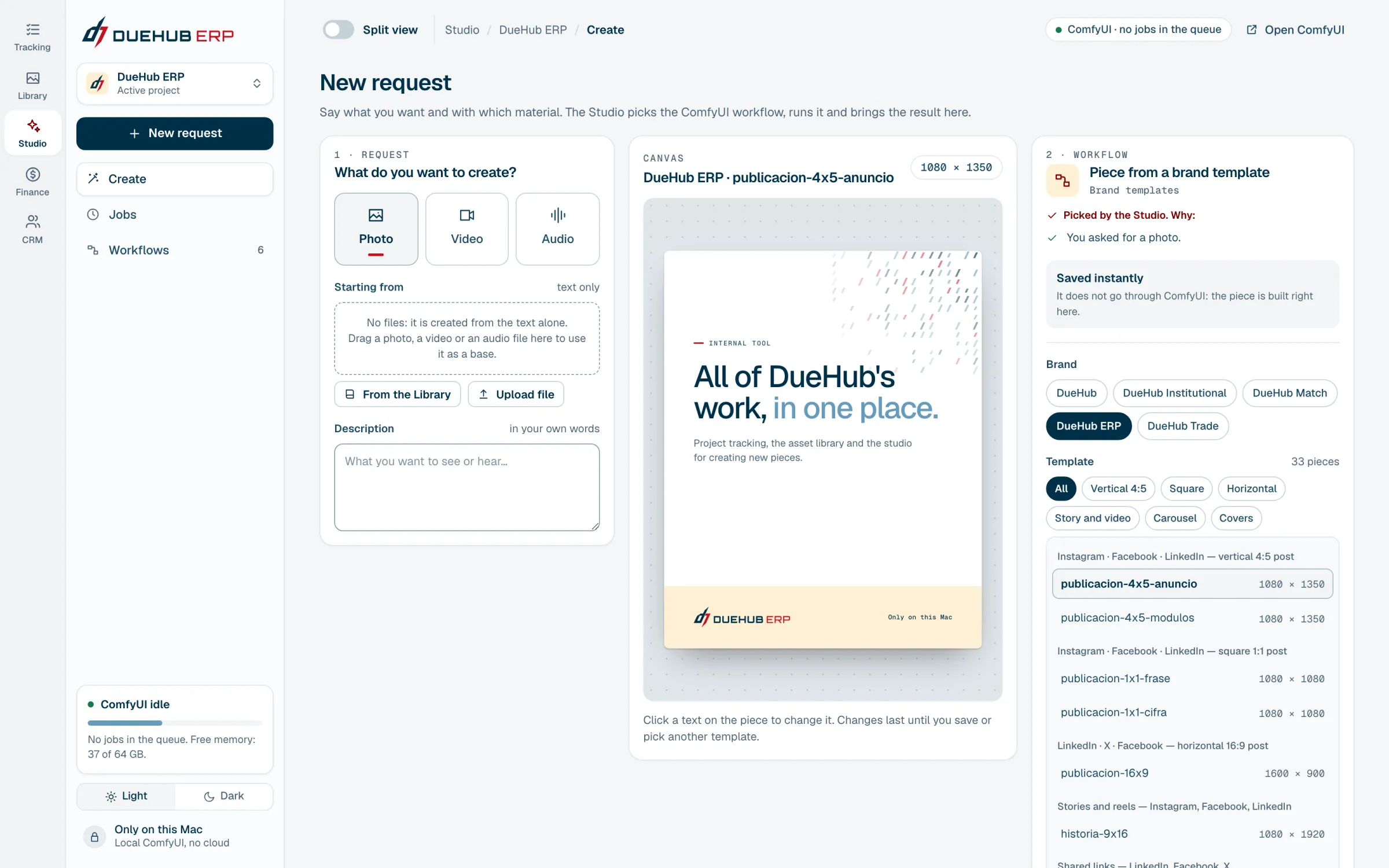
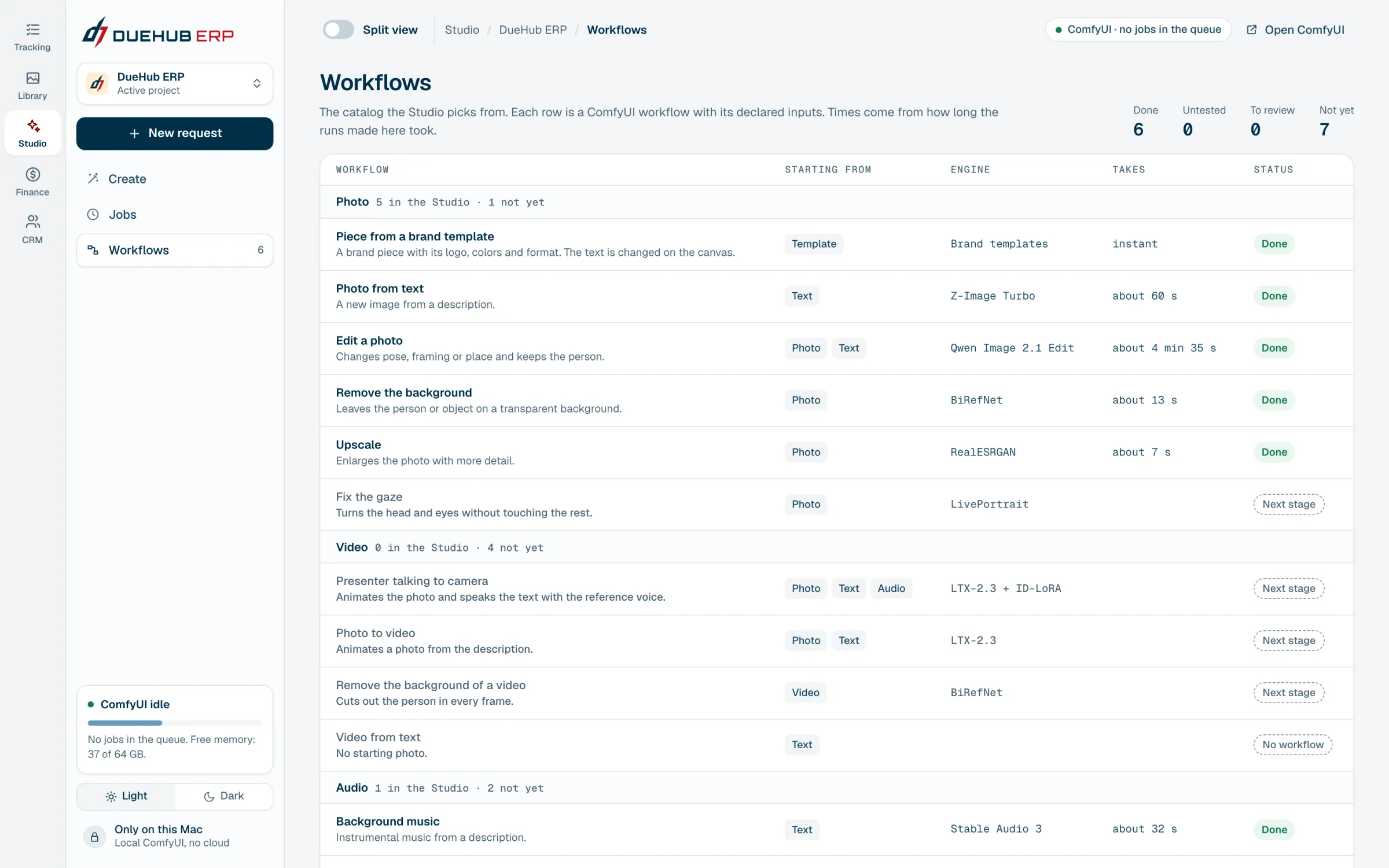
03 · Studio

From an idea to a piece that wears the brand.

You ask for a photo or an audio track and the Studio picks the workflow, runs it on the same computer and brings back the result. Each brand's templates are edited with one click.

  • Photos and audio with local AI
  • Templates for four brands
  • Everything lands in the Library
A brand template on the canvas: click the text on the piece to change it.The workflow catalog: what each one needs and how long it takes.
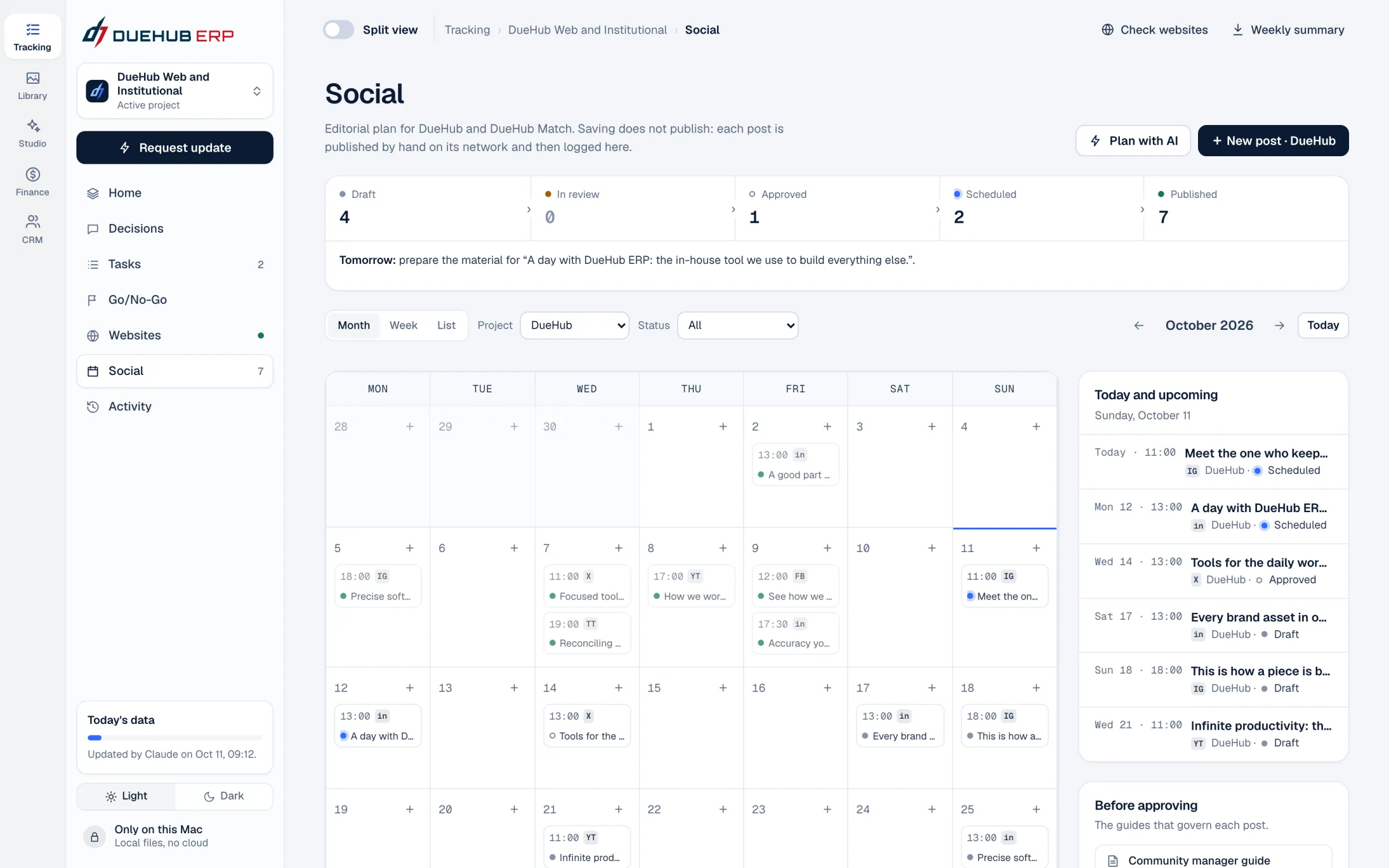
04 · Social

Every post planned, and none goes out on its own.

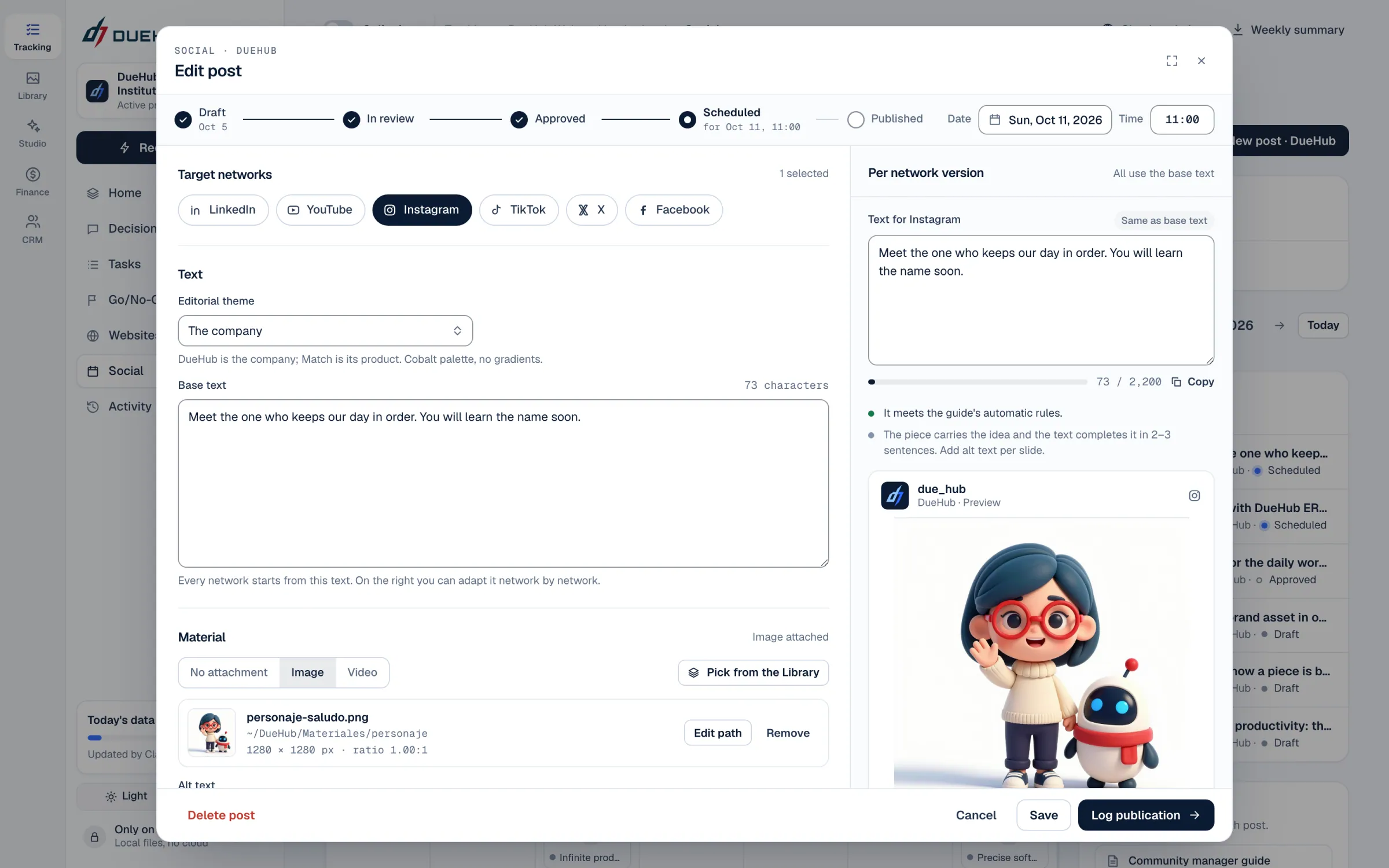
An editorial calendar with drafts, review and approval. Saving does not publish: each post is published by hand from its account and then logged.

  • Editorial calendar
  • Brand checklist
  • One text per network
The whole month: drafts, in review, approved, scheduled and published.The post, with its text per network and the checklist before approval.
05 · Finance

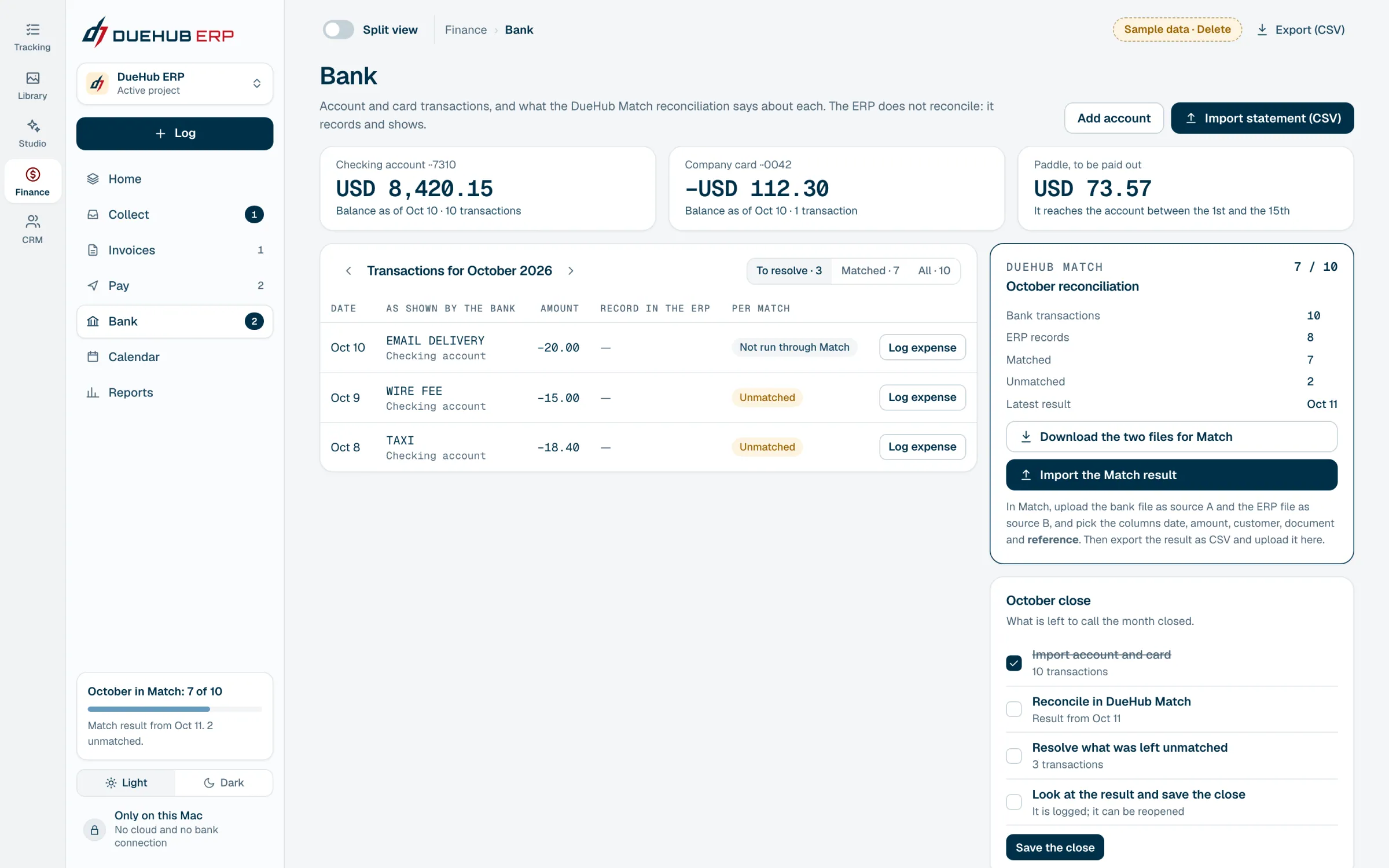
Clear accounts. Reconciliation happens in DueHub Match.

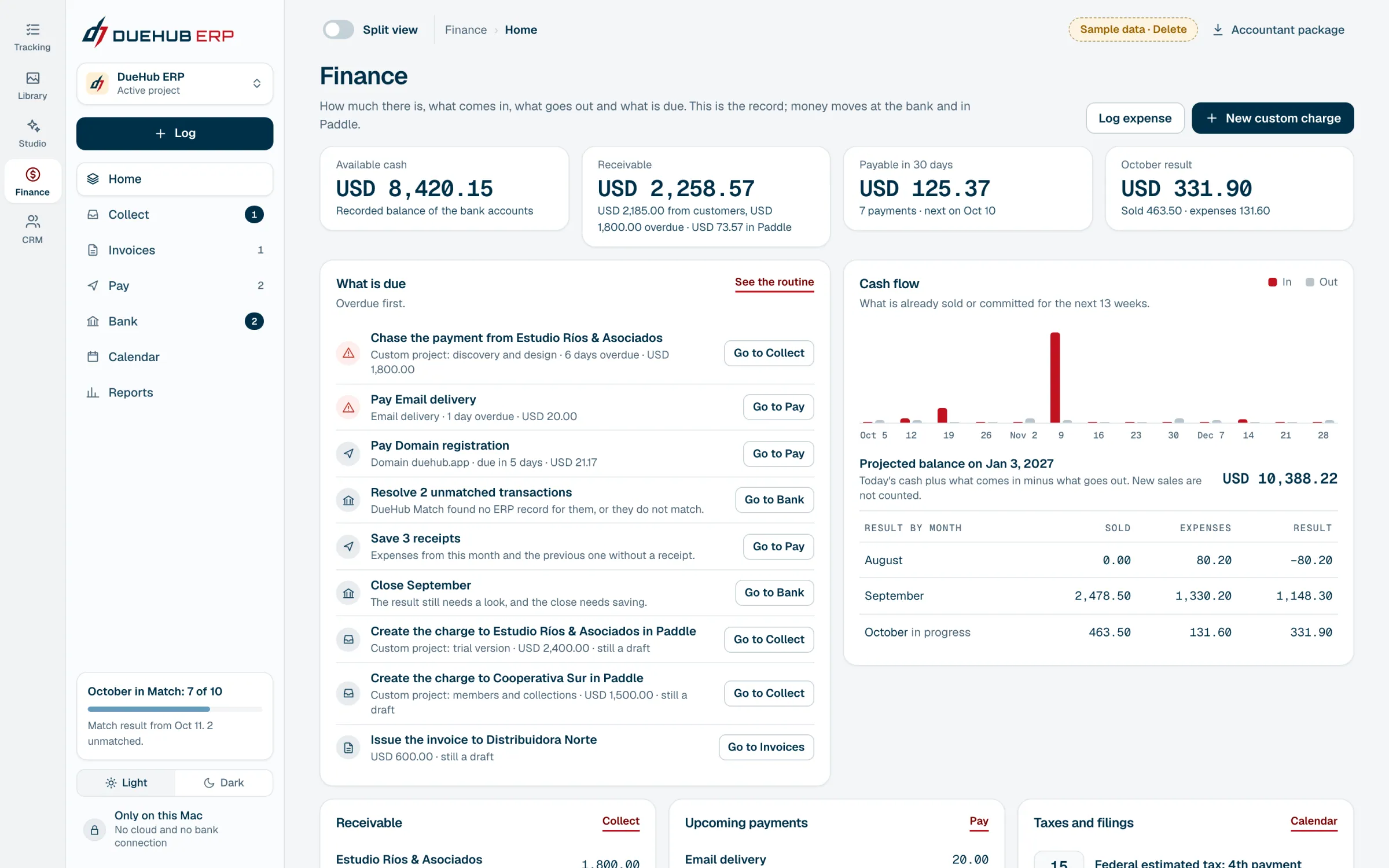
What comes in, what goes out, the bank and the due dates. DueHub ERP does not reconcile: it prepares the two files and leaves that job to DueHub Match.

  • 13 week cash flow
  • Own invoices in PDF
  • Reconciled with DueHub Match
Cash, receivables, payables and the month's result, with overdue items first.To reconcile the bank, the ERP downloads the two files and takes them to DueHub Match.
06 · CRM

Every conversation, with its next step.

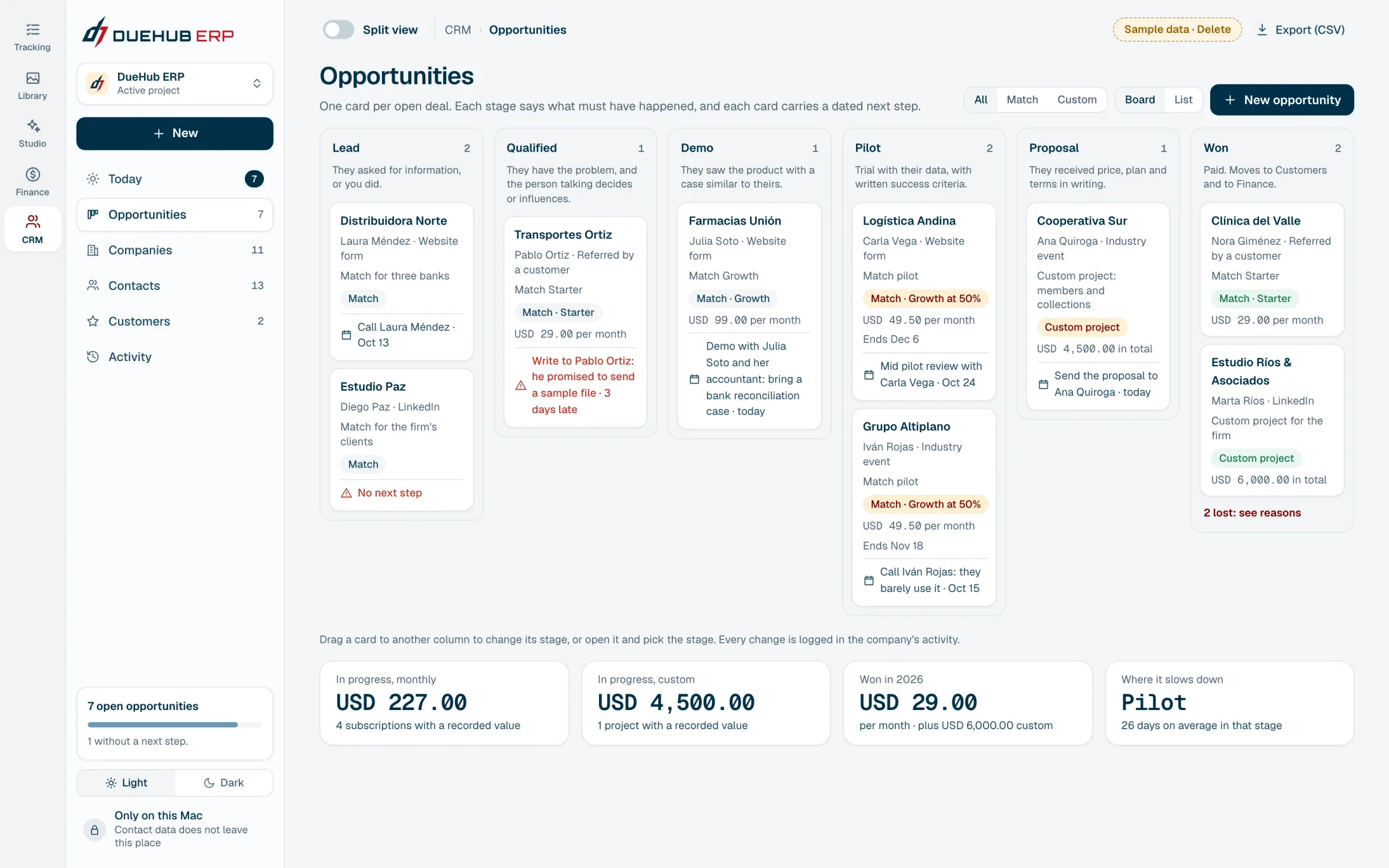
Leads, companies and opportunities by stage. What each company paid or owes comes from Finance, without entering it twice.

  • Board by stage
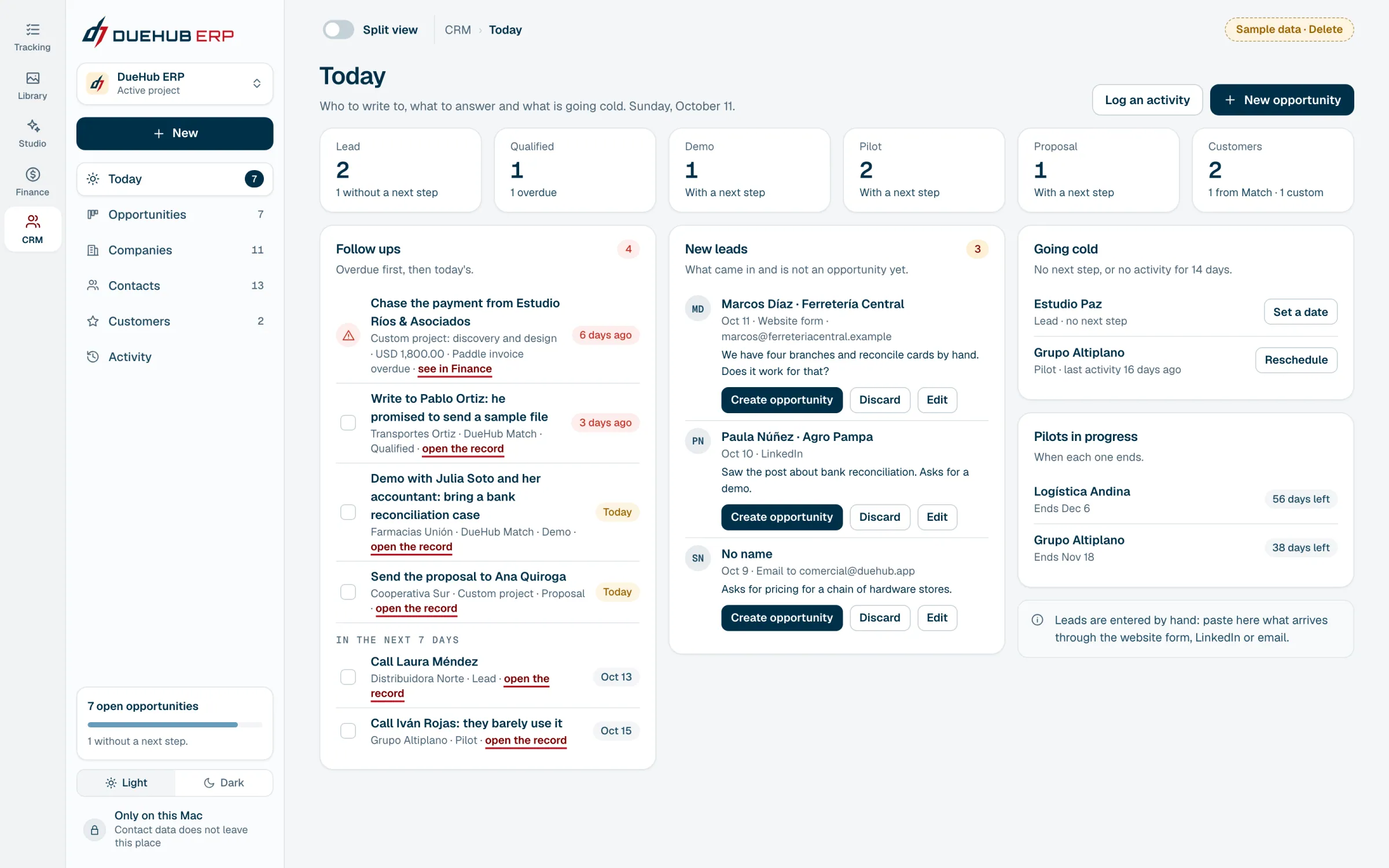
  • Today's follow ups
  • Data shared with Finance
One card per open deal. Drag it to change its stage.What is due today: follow ups, new leads and deals going cold.
01 / 06Keep scrolling
Split view

Infinite productivity.

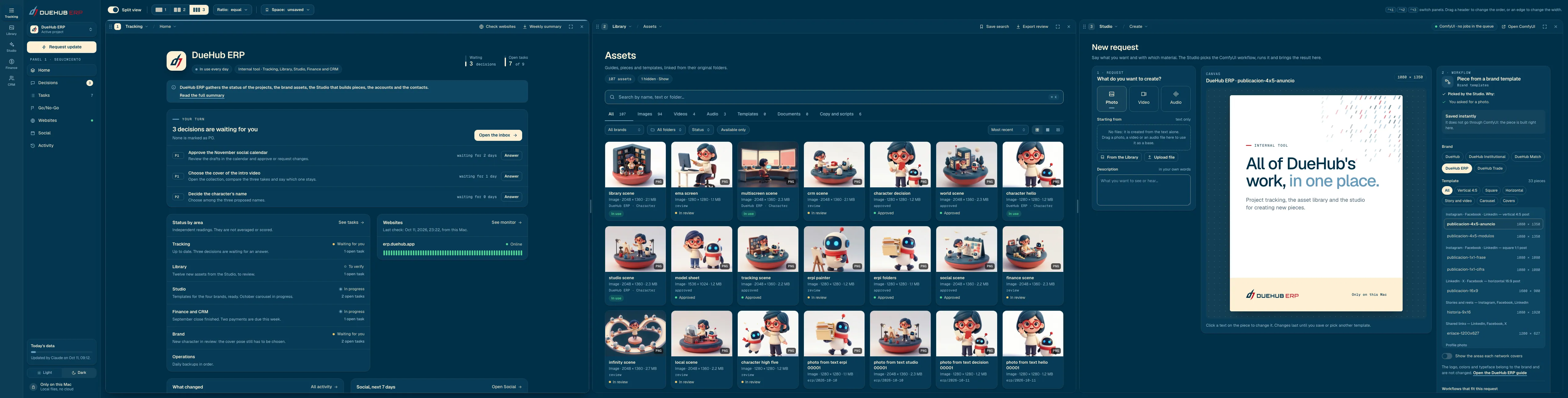
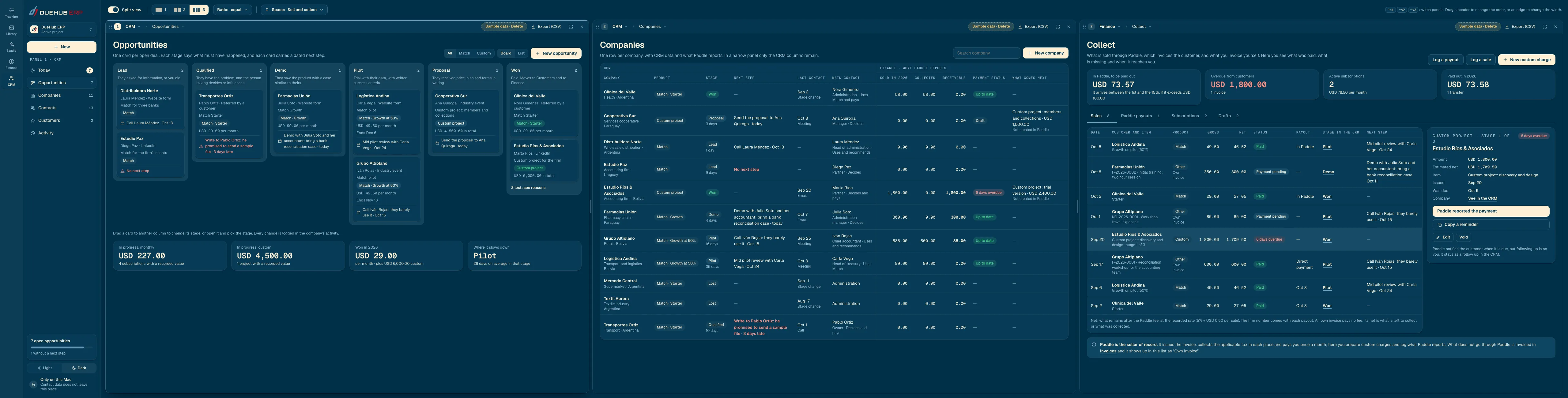
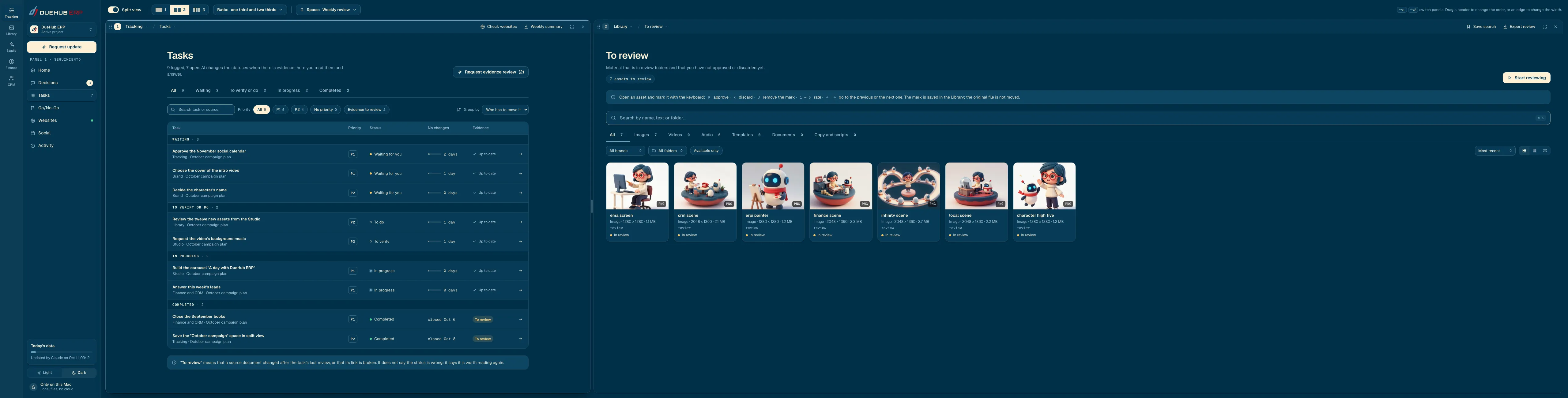
On a wide screen, DueHub ERP opens two or three modules side by side. What you do in one shows up in the others, without reloading.

Split view with Tracking, Library and Studio side by side.Space · Create
Split view with the opportunity board, the companies and the collections.Space · Sell and collect
Split view with the tasks and the assets to review.Space · Weekly review
One tool, four brands

The logo belongs to the tool. The color, to the project.

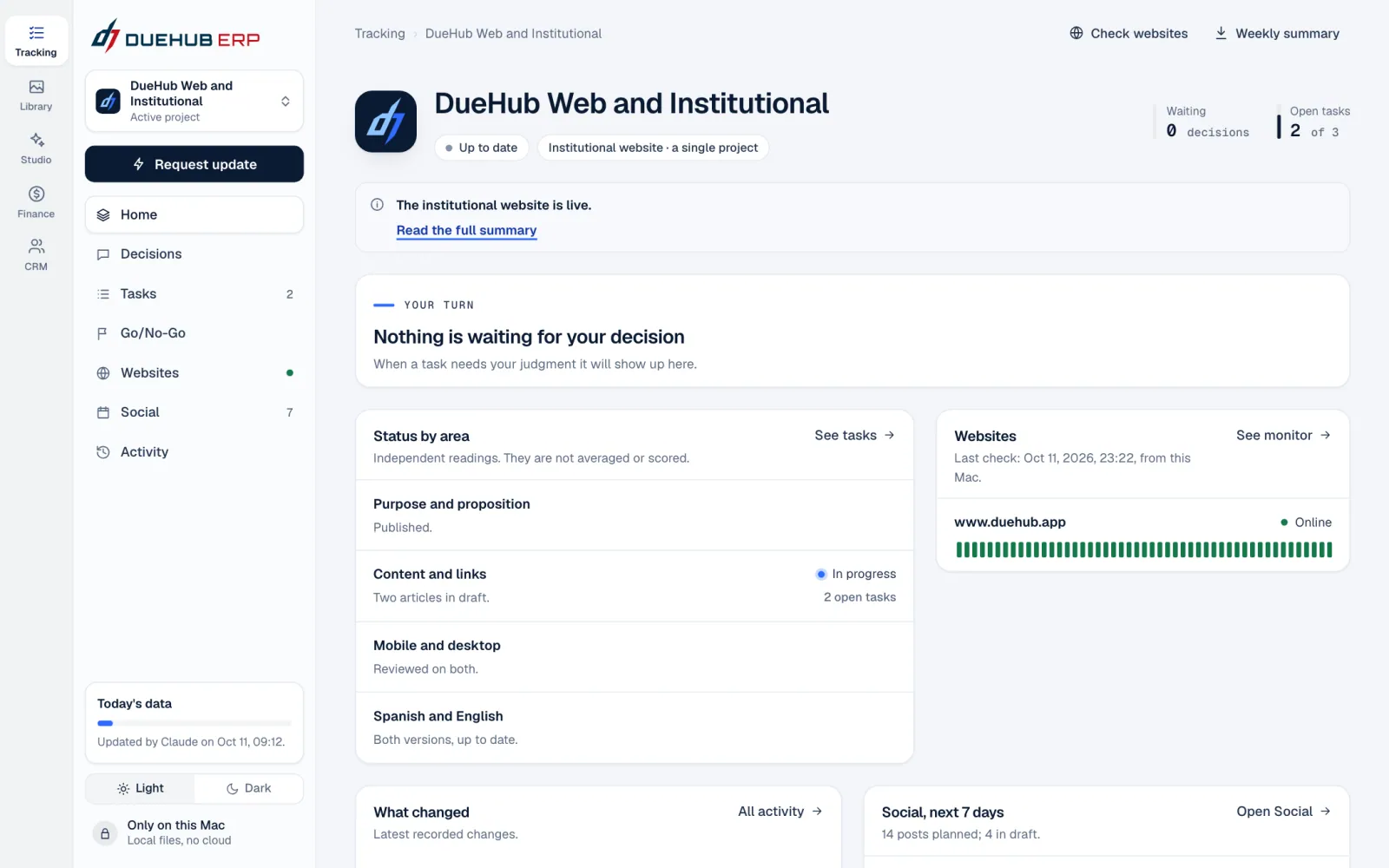
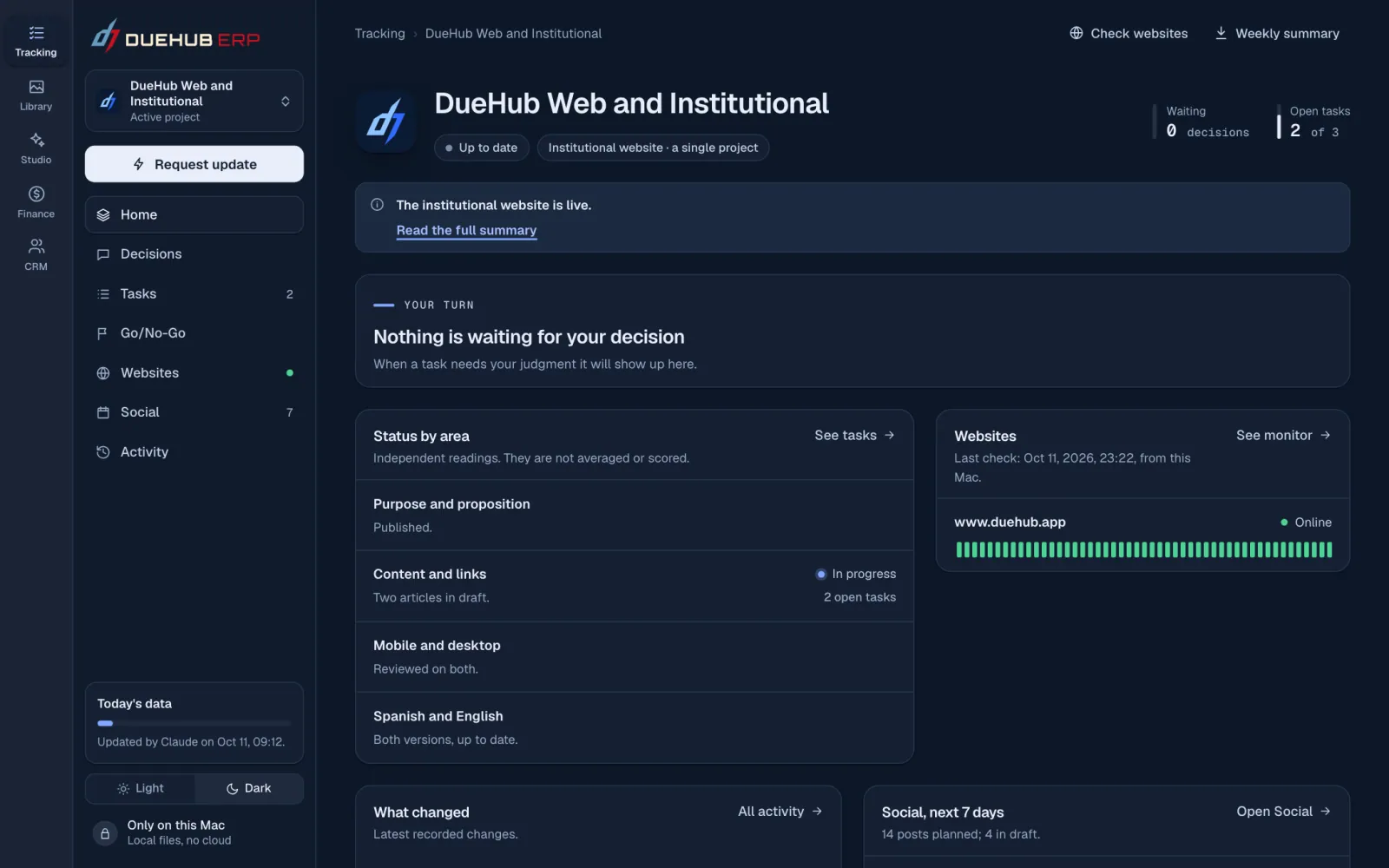
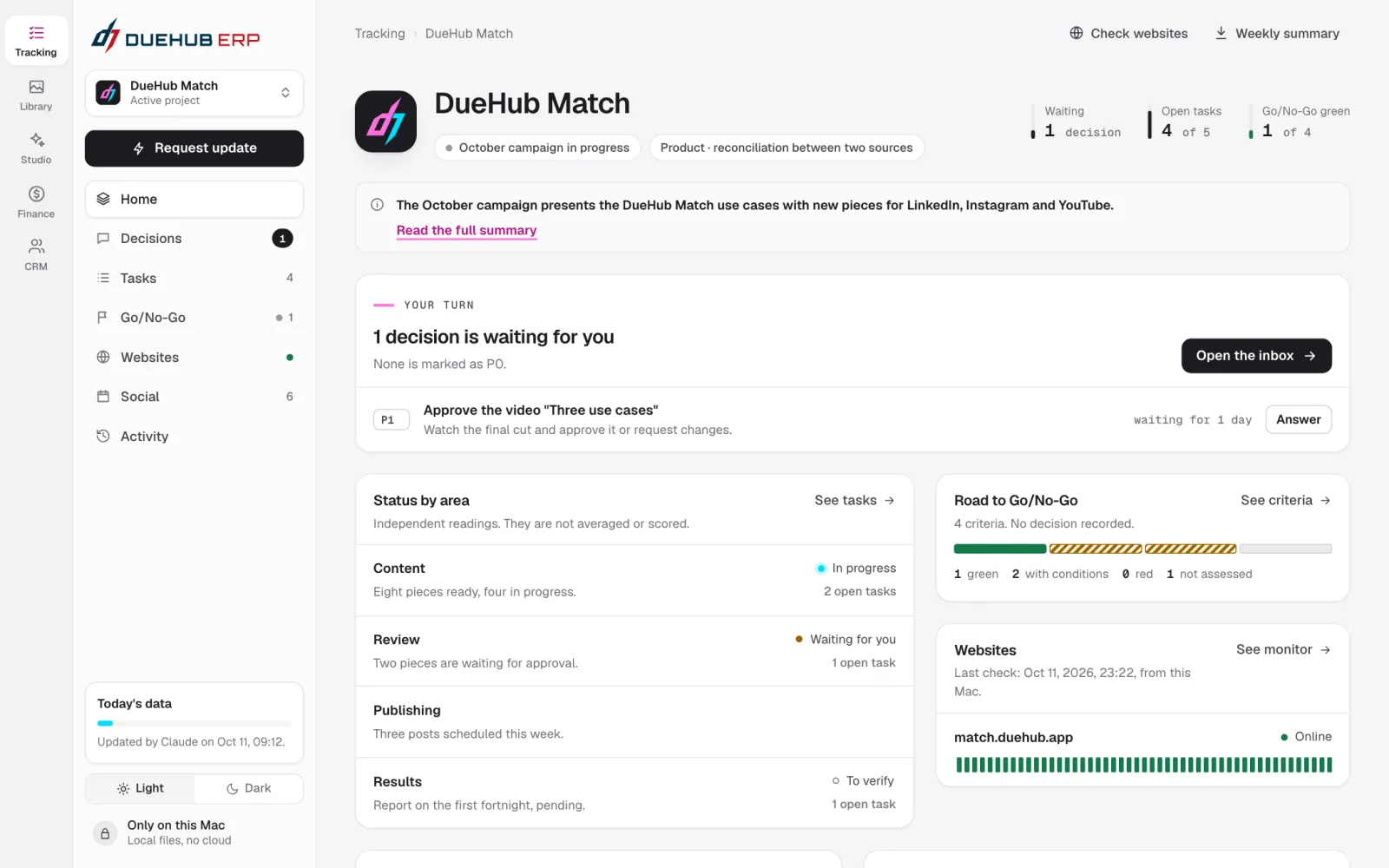
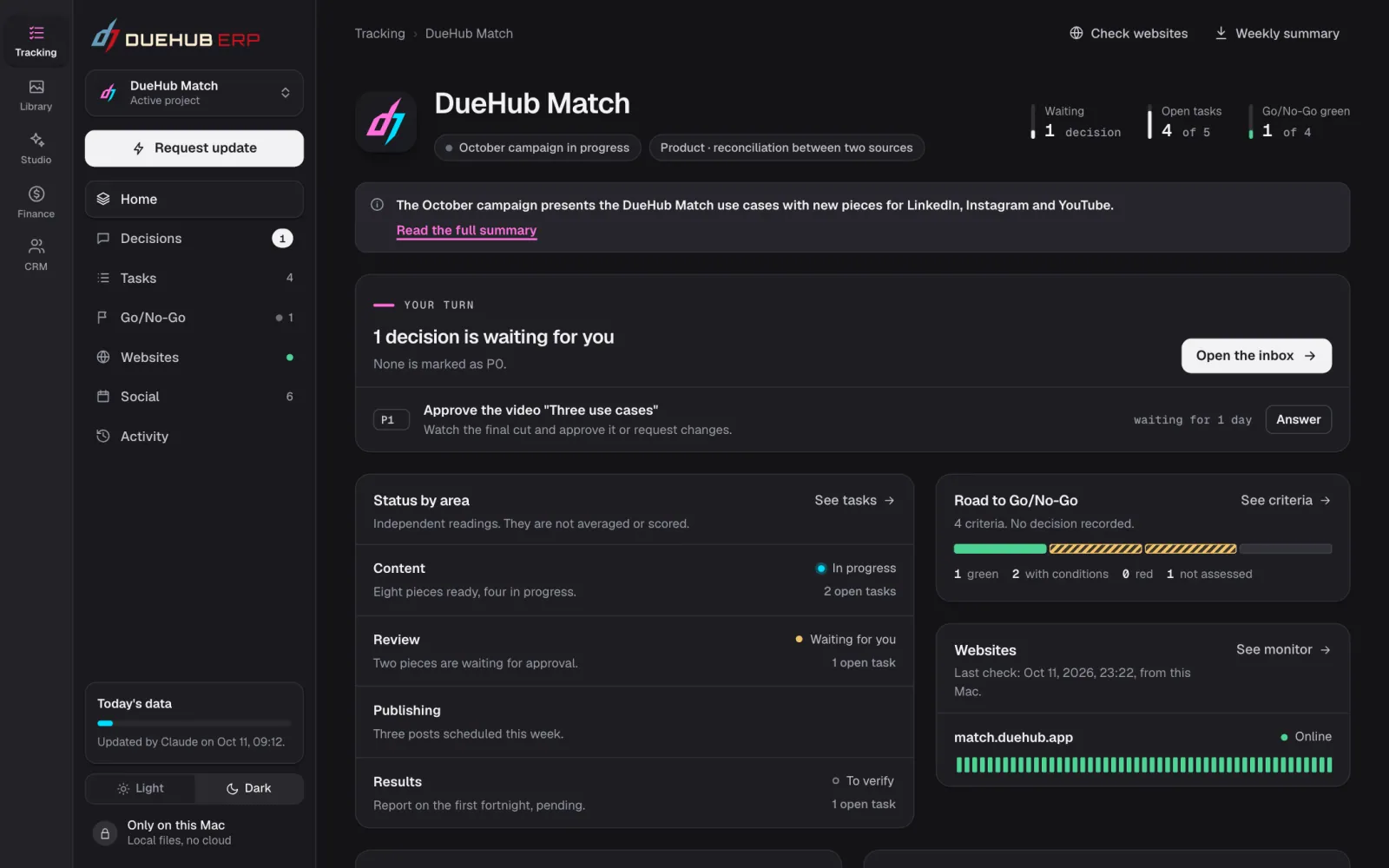
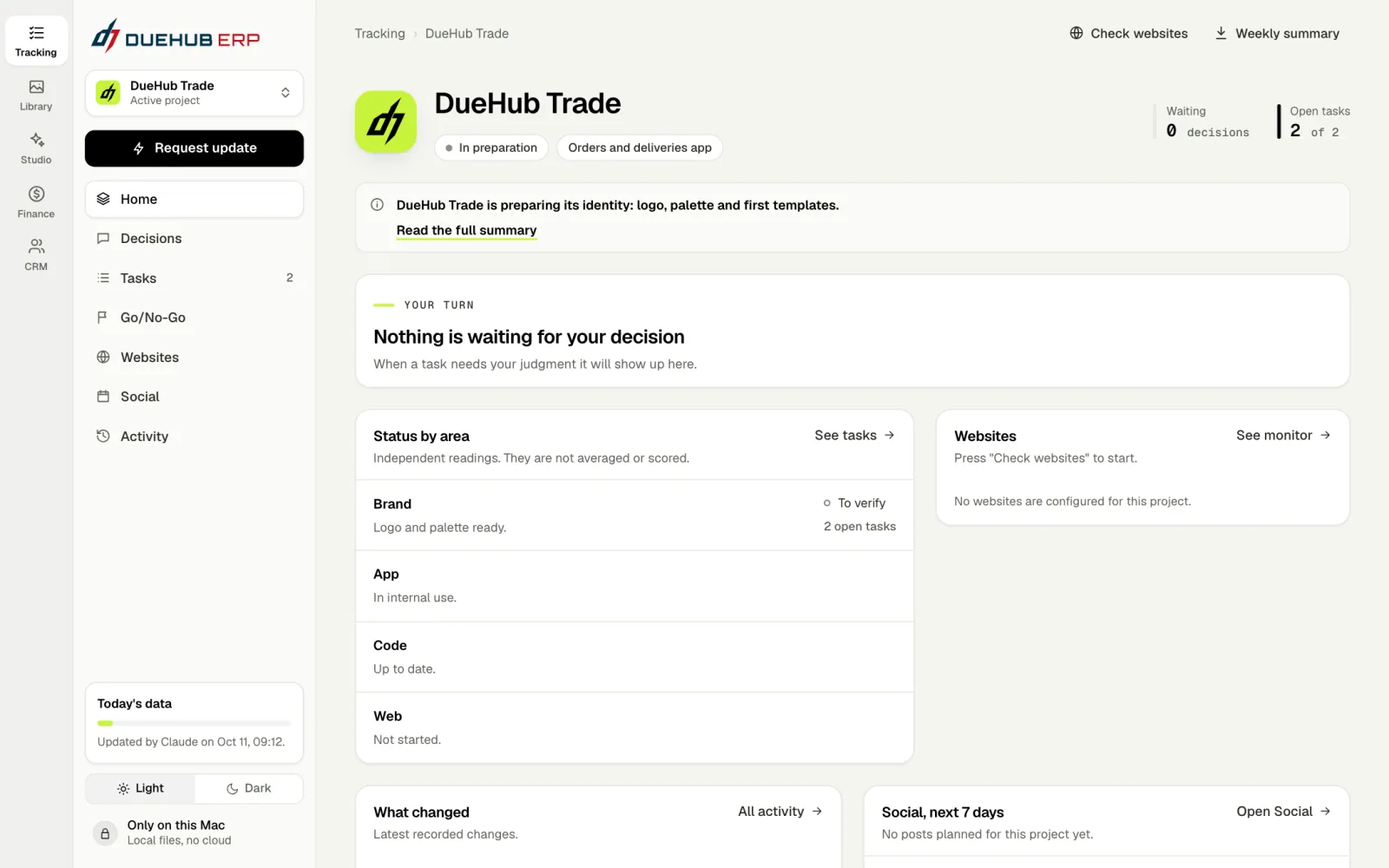
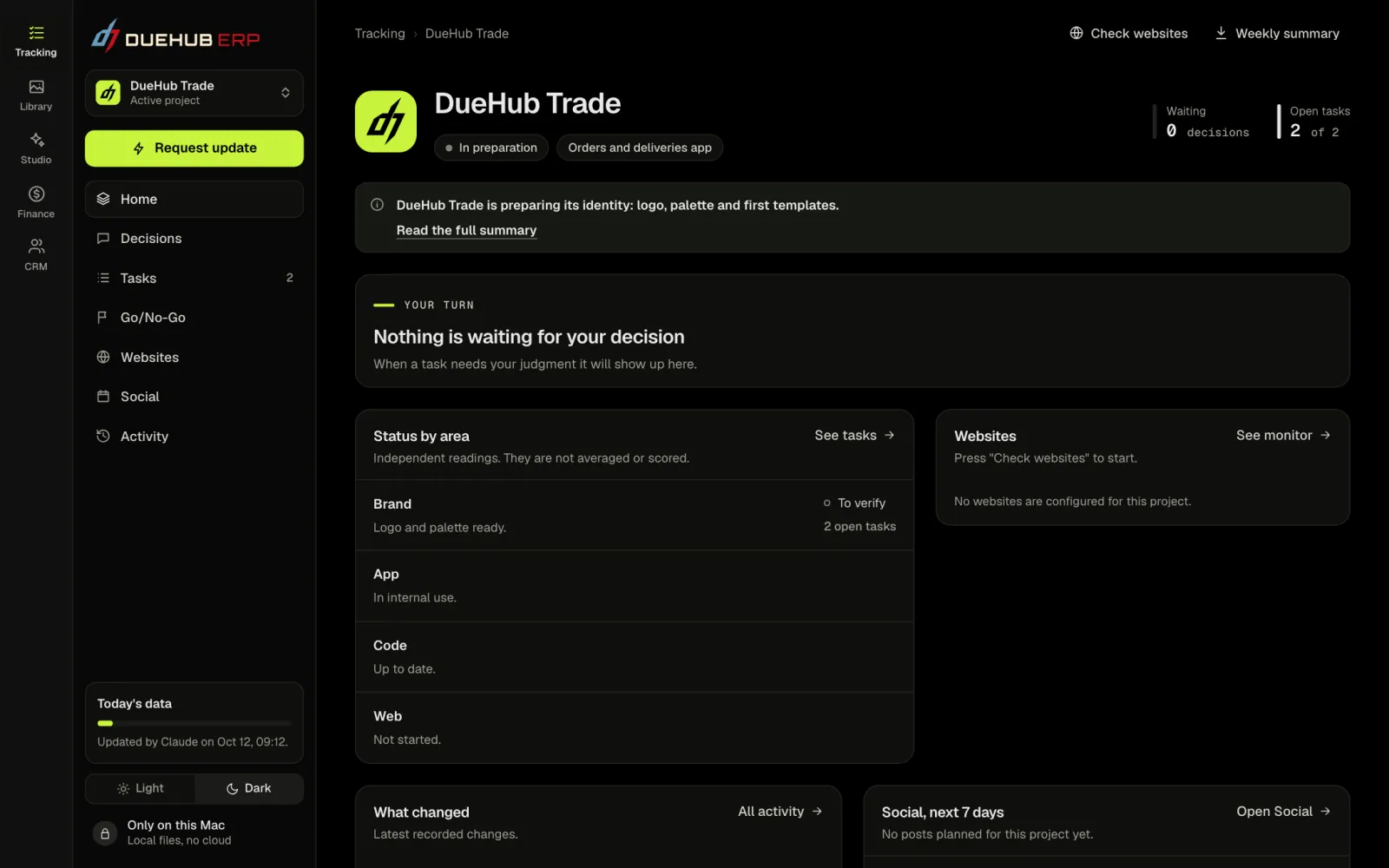
When you pick a project, the whole interface takes its palette, light or dark. You always know which brand you are working for.

DueHub ERP · Tracking
DueHub ERPDueHub ERPDueHubDueHubDueHub MatchDueHub MatchDueHub TradeDueHub Trade

The same Tracking screen, with each project's palette.

How it is built

Six simple rules that are never broken.

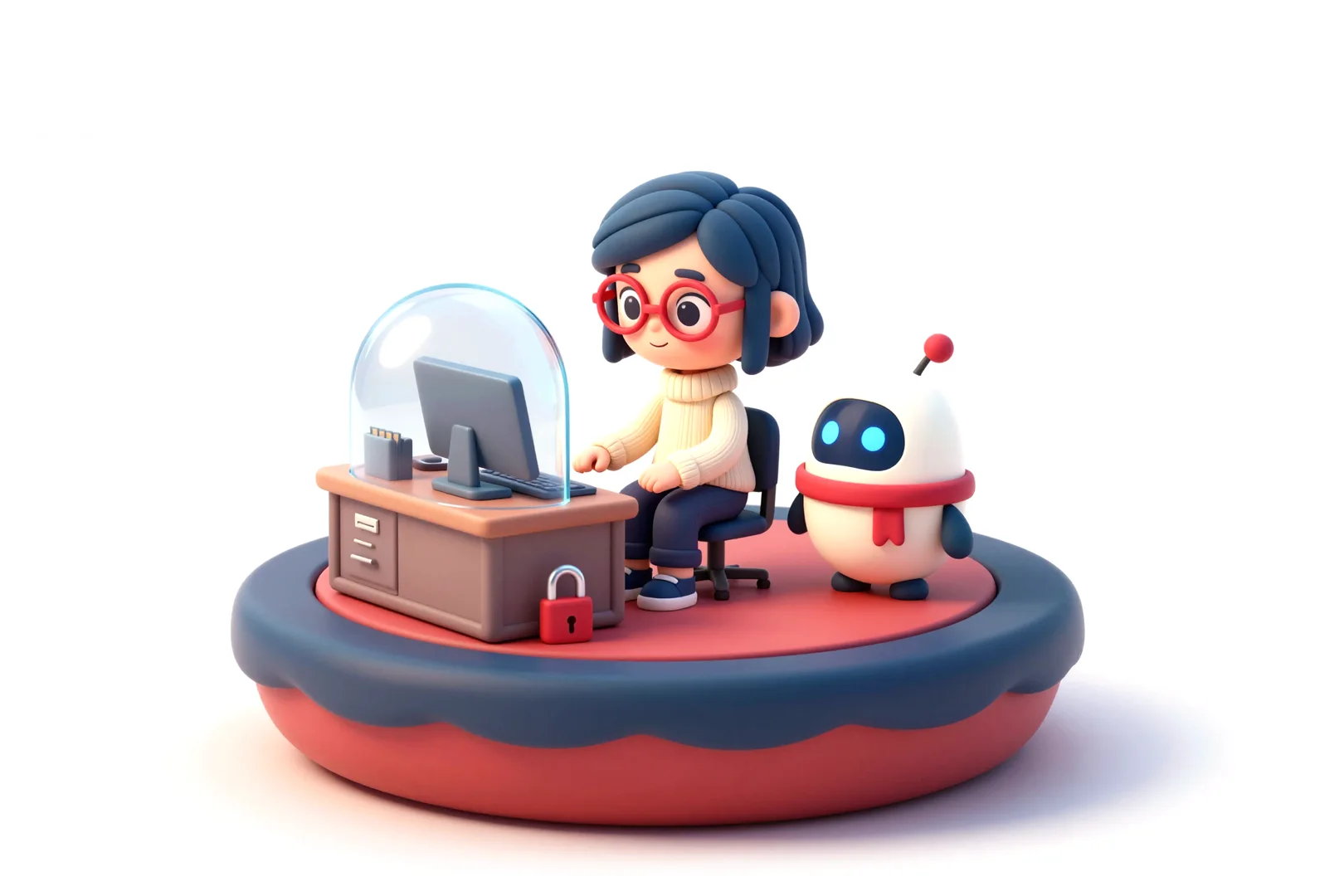
Ema works at her desk under a locked glass dome, while Erpi keeps the key.
01

Only on this computer

It runs locally. The data never leaves for a cloud service.

02

Originals stay untouched

The Library catalogs files where they are. It does not move or delete them.

03

AI proposes, a person decides

AI agents keep tracking up to date. Decisions and approvals belong to a person.

04

Nothing is published on its own

Saving a post does not publish it. Each post is published by hand and then logged.

05

It does not move money

Finance keeps the record. Money moves at the bank, and reconciling is DueHub Match's job.

06

Nothing is destroyed

There are daily copies of the data, and what you discard is kept aside.

Who walked with you

Ema decides. Erpi does the rest.

They are the DueHub ERP characters, and they tell how the tool is designed: software does the repetitive work, and decisions stay in a person's hands.

Ema

She works with the tool. She looks, compares and decides.

Erpi

The helper. It sorts, searches, builds and remembers, and never gets tired.

Ema and Erpi were drawn with the same local AI that the DueHub ERP Studio uses.

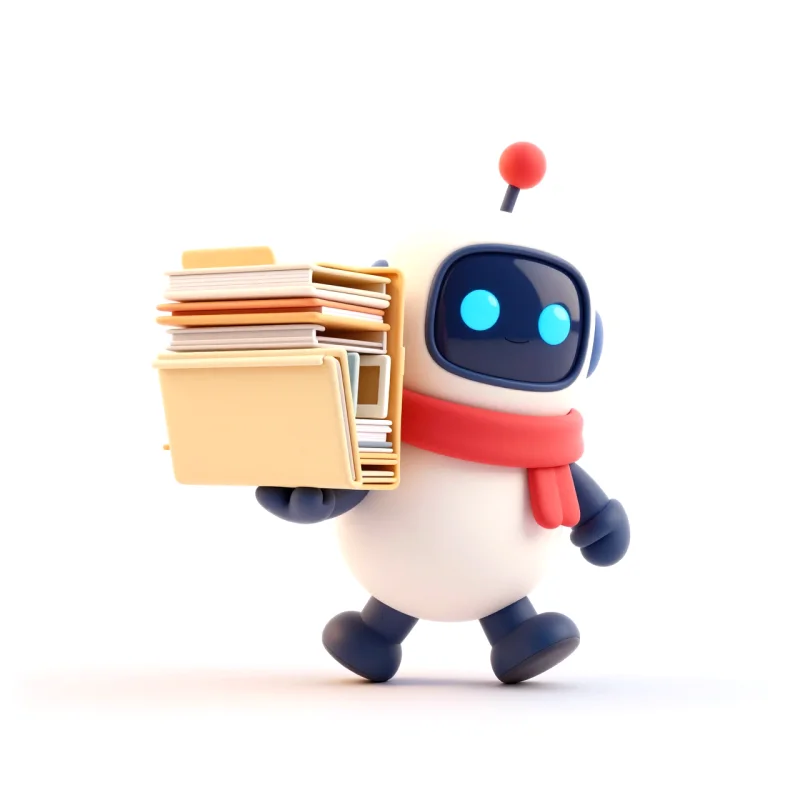
Ema and Erpi high five. Ema chooses between two cards while Erpi looks at her. Erpi carries a stack of folders and frames.
Questions

What people usually ask us.

Can I use DueHub ERP?

No. It is an internal DueHub tool and it is not for sale. We show it so you can see how we work.

Then which product can I use?

DueHub Match, our product for reconciling two sources. It compares two files, suggests matches based on your rules and lets you decide on the differences.

Are the screenshots from the real tool?

Yes. They are screens of DueHub ERP as we use it every day. The only fictional part is the data they show. The tool runs in Spanish, so its labels were translated for these screenshots.

Is the data on the screens real?

No. Every screenshot uses demo data: made up companies, amounts, tasks and posts.

Where is the data stored?

On the computer where the tool runs. It does not use cloud services.

What does AI do here?

It keeps tracking up to date and generates photos and audio in the Studio, always locally. Decisions and approvals are made by a person.

How does it relate to DueHub Match?

DueHub ERP does not reconcile. When bank movements have to be matched with the records, it prepares the two files and the reconciliation is done in DueHub Match.

The product you can use

With this same care we built DueHub Match.

DueHub ERP is for the house. DueHub Match is for you: reconciliation between two sources, with your rules and the differences in plain sight.